Free Online
Word to PDF
Converter
Quickly transform DOCX files into PDF. Upload, convert Word to PDF, and download with ease. Fast, secure, for all modern browsers.
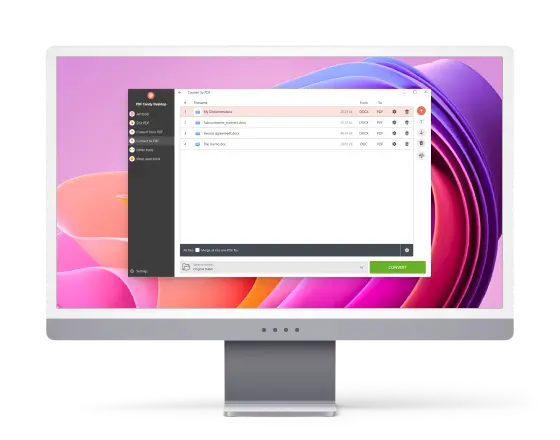
Desktop
Word to PDF
Converter
Change Word documents to PDF without an internet connection. Preserve formatting, fonts, and layout using our free DOC to PDF converter.
All You Need to Convert Word Files to PDF
Turn your Word documents into PDFs and vice versa with just a few clicks - no technical skills needed.
-
Free Word to PDF Converter
No sign-ups or hidden fees. Both the online and desktop versions allow you to save Word documents as PDF, even for large or frequent tasks.

-
Batch Processing
Convert dozens of DOC files to PDF or mixed formats in one go. Ideal for bulk tasks like preparing reports, academic papers, or client deliverables - no need to change each paper manually.
-
Convert Word to PDF Securely
The desktop DOCX to PDF converter works without internet access, while the online version deletes files shortly after processing.

-
Best DOC/DOCX to PDF Converter
Built for accuracy and speed, this free DOC to PDF converter preserves layouts, tables, images, and formatting - even in complex or heavily styled documents.

 User Reviews on Word to PDF Converter
-

I work with contracts daily, and this PDF conversion software is the fastest I’ve found. It’s reliable and doesn’t mess up the content - exactly what I need.
-

The online version is great when I’m using a public computer to quickly change Word documents to PDF. I just upload my DOCX, hit convert, and get a perfect document in seconds.
-

I processed over 30 files for a presentation. The batch feature saved me hours, and the output quality was flawless. Highly recommend both versions for converting Word to PDF!
-

I needed to convert several Word reports to PDF for a client, and the batch feature was a lifesaver. The output stayed perfectly formatted, which is super convenient when I’m on the go.
-

PDF Candy Desktop is fantastic for sensitive documents - I can turn Word files into PDFs completely offline. It’s fast, accurate, and perfect for professional use.
-

I often work with spreadsheets and images, and this tool handles them just as easily as Word files. Converting everything to PDF in one go saves me hours every week. wordtopdf.io is highly recommended!
Free Word to PDF Converter
Preserve your formatting, fonts, and structure when converting Word files to PDF on your PC.
Download for Windows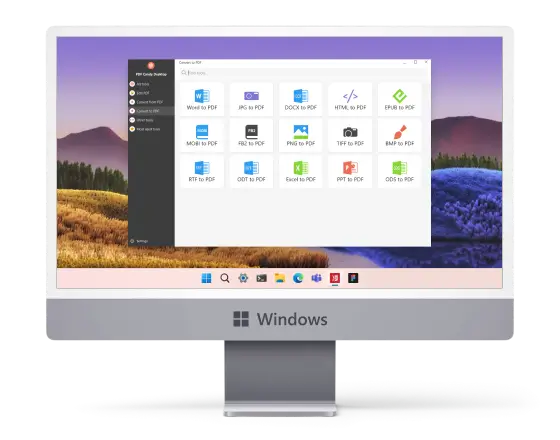
 Frequently Asked Questions
-
How do I convert a DOCX file to PDF without losing formatting?
Use PDF Candy Desktop or online PDF converter. Both preserve layouts, fonts, and styles automatically.
-
Can I change multiple Word files to PDF at once?
Yes, simply upload all your documents, and they’ll be processed in one go.
-
Is there a file size limit for Word to PDF conversion?
No, the DOC to PDF converter for Windows handles files of any size, including documents with images and charts.
-
Do I need Microsoft Word installed on my computer?
No, our tools for converting Word to PDF work independently.
-
Is the Word to PDF converter compatible with Microsoft 365 files?
Yes, files created with Microsoft 365 apps are fully supported. You can work on them just like a standard DOCX.